
You have a chorus in your head and no singer booked. That is the situation an ai singing voice generator free tier is actually built for — hearing whether the hook works before anyone commits studio time to it. What these tools do well is answer creative questions quickly: does this melody sit right, does the lyric scan, is the chorus memorable. What they do not do, by default, is hand you a rights-cleared master — and they will not tell you whether a listener can make out the words, which is where GPT Transcribe speech to text comes in later on.
This guide covers the workflow that gets usable results out of a free tier — writing lyrics that are singable, describing a voice properly, testing in short sections — and where GPT Transcribe speech to text comes in afterwards: checking whether the words survive the performance, turning demos into captions, and keeping a record of which take was which.
Quick answer: what is an AI singing voice generator free?
An AI singing voice generator free tier is a no-cost tool that produces a sung vocal from some combination of text, notes, a melody guide, or a reference recording. Some generate a whole performance from a prompt; others convert an existing vocal into a different timbre; others synthesise from notes and phonemes. "Free" typically means one of: trial credits, capped clip length, reduced export quality, a watermark, or a non-commercial licence.
The short version for anyone skimming: use a free AI singing voice generator for demos and sketches, not for commercial release, unless the licence explicitly covers your use. Treat every output as a draft until you have read the terms. And do not clone a real person's voice without their explicit permission — the fact that a tool makes it easy is not the same as it being yours to do.
Why creators use free AI singing voices
The melody usually arrives before the vocalist does. Producers need something to sing over a chord progression to test whether the chorus lifts. Video makers need eight seconds of sung intro, or a fictional character voice for a sketch. Teachers want to demonstrate phrasing without booking a studio.
Speed is the obvious draw. In the time it takes to schedule one session you can hear five directions — restrained indie hook, theatrical belt, synthetic choir pad, plain guide vocal — and discard four of them. Even output nowhere near release quality answers the question that matters early: does this melody work at all?
Iteration is the less obvious one. Human singers bring everything a machine does not, but asking someone to redo a scratch take six times while you decide on the key is a bad use of their afternoon. Test the lower key, the simplified verse, the call-and-response bridge synthetically; bring the singer in once the arrangement has stopped moving.
Access matters too. Not everyone starting out owns a microphone, an interface, or a room worth recording in. Hearing your own song before buying equipment is a genuine unlock — it does not substitute for musicianship, but it removes a barrier that used to sit right at the beginning.
What free AI singing tools usually need from you
Expect to supply some mix of four things. Lyrics — the words themselves. Pitch guidance — MIDI, piano-roll notes, a hummed reference, or a melody the tool generates. Style — genre, tempo, mood, range, accent, energy. Voice identity — a built-in synthetic singer, a licensed model, or a voice you have the right to use.
Specific beats elaborate. "Make a good pop song" gives the model nothing. "Female alto lead, 92 BPM, intimate synth-pop verse opening into a bigger chorus, clear American English, no vibrato in the verse, light vibrato on held chorus notes" gives it a target. Where the tool supports section labels, use them — Verse, Pre-Chorus, Chorus, Bridge. Where it supports phonetic overrides, fix invented words and unusual names before the final pass, not after.
Free tiers also ask for patience: queues, daily caps, short clips, lower bitrates. That is the trade. Spend the free tier on discovery and short tests, and save credits or studio time for the direction that has already proven itself.
Step-by-step workflow for better AI singing vocals
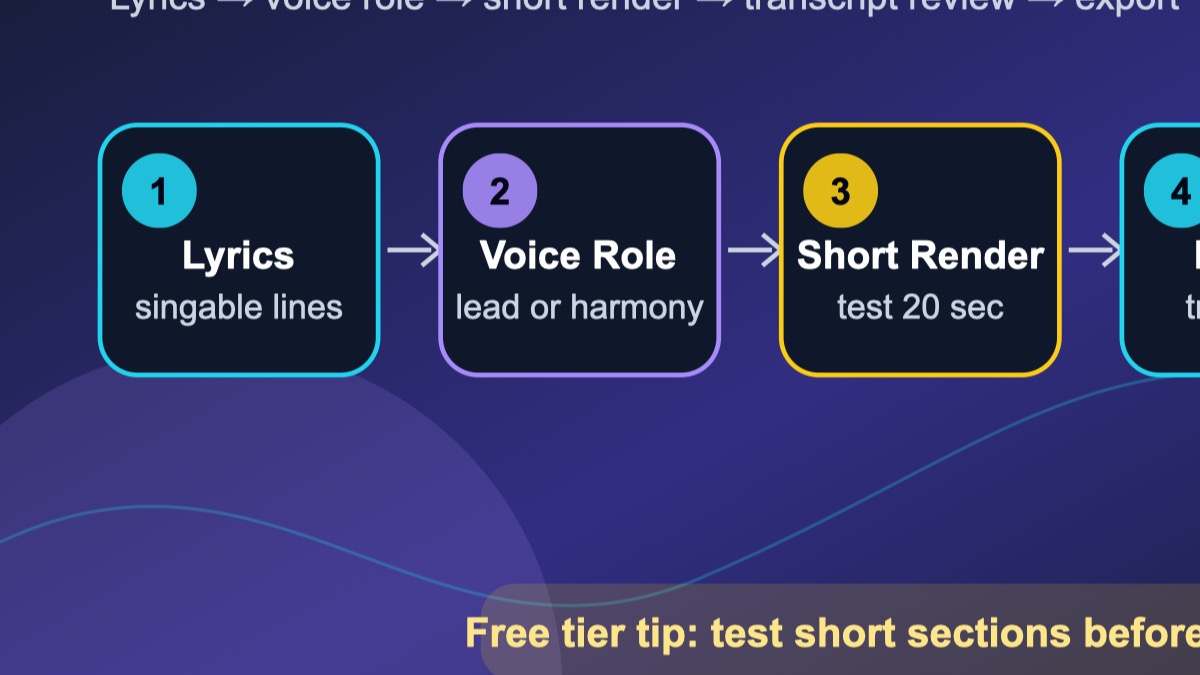
1. Write the lyric like a singer has to breathe
These tools will sing anything you type, which is not the same as anything you type being singable. Read the line aloud and mark where you would breathe. If you cannot say it comfortably in one breath, it will sound rushed sung. Open vowels carry hooks; dense consonant clusters on fast notes turn to mush.
"I keep running through the neon in the rain" sings. "I keep accelerating through the metropolitan neon precipitation" does not — it may read well, but nobody's mouth wants to do that at tempo. Write for the mouth.
2. Choose a voice role, not just a voice type
Describe the job the voice is doing, not just its gender. Is it the lead carrying the story? A harmony stack widening the chorus? A texture sitting behind everything? A choir-like pad on sustained vowels? The role changes the performance more than the timbre does.
"Female voice" leaves almost everything to chance. "Warm tenor lead for an acoustic chorus", "bright soprano harmony on the final line", "soft synthetic choir sustaining vowels behind the hook" — each of those is something a generator can aim at.
3. Generate short sections first
Never start with three minutes. Generate the chorus, or the single hardest phrase, or the first twenty seconds. Listen for pronunciation, timing, pitch stability, emotion, and whether the melody actually supports the words. Short tests stretch free credits and keep the decision in front of you small enough to judge.
Once a section works, extend it. Build verse and chorus separately if the tool allows, then comp the strongest takes in your editor like any other vocal source. Keep the alternates. Label the files while you still remember what distinguishes them.
4. Review the lyric with transcription
Here is the test most people skip: can the words be made out at all? Put the generated audio through GPT Transcribe speech to text and set the transcript against your lyric sheet. Where the transcript loses a phrase, listeners will lose it too.
That is not a verdict on the generator. It usually points at something fixable — melody sitting on the wrong syllable, too many words in the bar, a consonant that vanishes at that pitch. And the transcript has a second life: captions for the lyric video, a description, a searchable record of which demo said what.
5. Export, document, and organize rights
When a take earns it, export at the best quality the free tier gives you, and write down the prompt, the date, the tool, the voice model, the licence terms, and what you intend to use it for. Boring for months; essential the first time a collaborator, a distributor, or a platform asks where the vocal came from.
"Free" is not one thing. It can mean free to try, free with attribution, free for personal use, or free within limits that stop exactly where your project starts. Keep a rights log per generated vocal.
Free vs paid AI singing voice generators
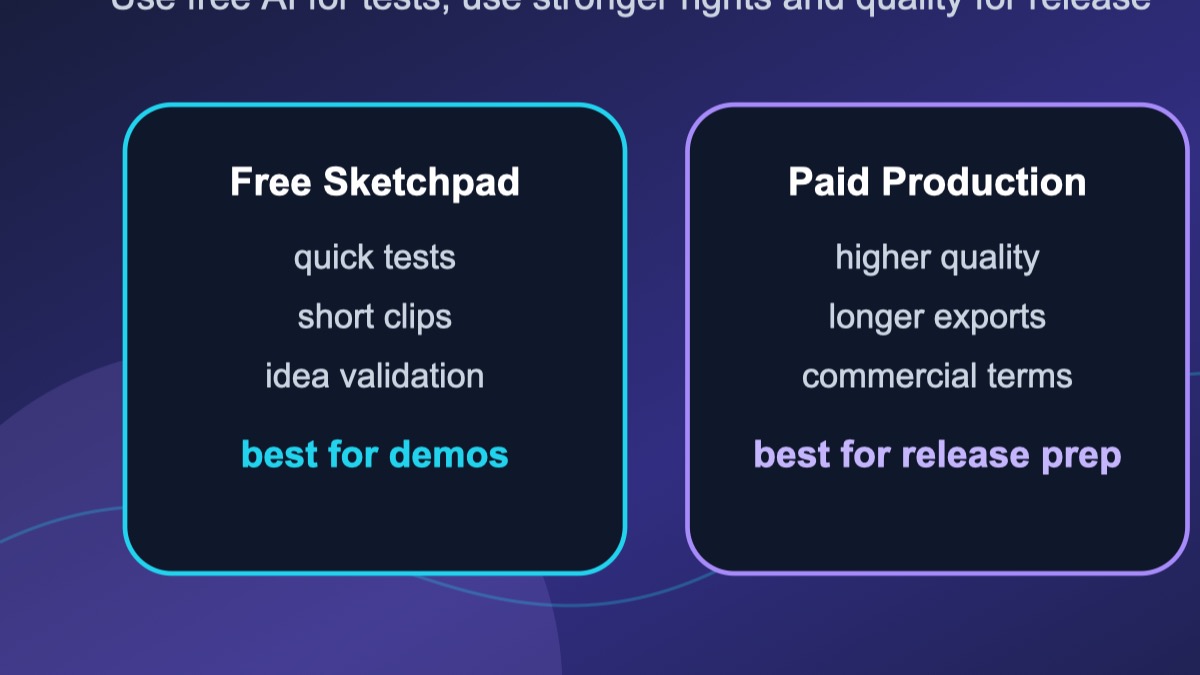
Free is for exploring. Paid generally buys length, export quality, queue priority, commercial rights, voice customisation, and batch processing. Which you need follows from what the output is for.
| Goal | Free plan is usually enough when... | Consider paid or professional help when... | |---|---|---| | Songwriting demo | You just need to hear the melody, rhythm and rough feel. | Stems or fine vocal control are required for release. | | Social media concept | It is short, experimental, and inside the tool's terms. | It is a brand campaign or a monetized ad. | | Backing vocal sketch | You are testing harmony before booking singers. | Those harmonies will end up on a commercial master. | | Lyric video | A demo vocal and captions are enough for the draft. | Final audio, sync approval and distribution rights are needed. | | Education | You are demonstrating melody writing or arrangement. | Students will publish or monetize what they make. |
The rule that holds up: free tools answer creative questions; paid tools, licensed voices and human singers make products. Keep experimentation cheap without pretending the rights question goes away.
Prompt formulas for better results
A prompt that works usually names six things: genre, tempo or energy, voice role, tone, pronunciation notes, and the intended output. As a template:
Generate a [genre] vocal at [tempo/energy] with a [voice role]. The singer should sound [tone/emotion]. Pronounce [difficult words] clearly. Keep the performance [simple/dynamic/intimate/powerful]. The output is for [songwriting demo/lyric video/backing harmony/short social clip].
In practice:
- "Soft indie-pop chorus, warm alto lead. Hopeful but held back. Open vowels on the hook, light vibrato only on sustained notes, every lyric clear enough to caption."
- "Clean tenor guide vocal, 100 BPM dance-pop demo. Conversational verse, brighter chorus, and 'midnight radio' pronounced distinctly."
- "Fictional synthetic choir pad for a cinematic intro. No celebrity likeness, no recognisable artist imitation — smooth vowel harmonies behind the hook."
Note what none of them do: ask for a real artist, pile on contradictory genres, or leave the intended use unstated. Each omission makes the generator's job harder and your rights position worse.
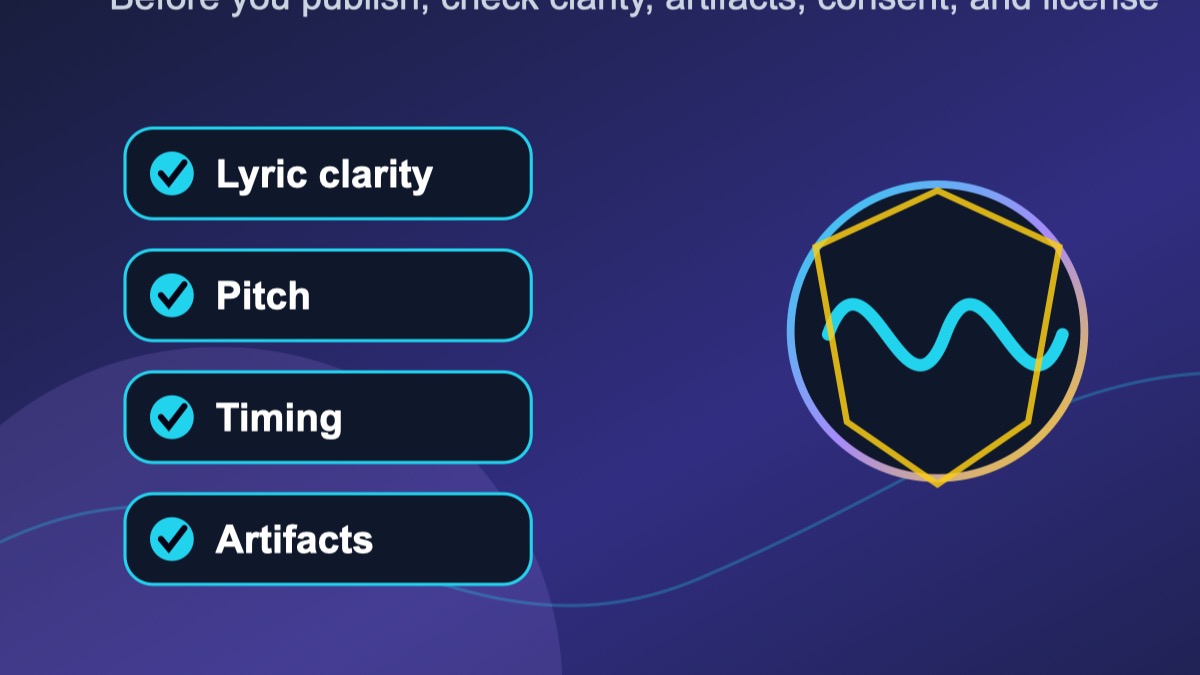
Quality checklist before you keep a take
First output is rarely best output. Run each one past this:
- Lyric clarity: can someone catch the hook without the lyric sheet?
- Pitch stability: is the wobble expressive, or just wobble?
- Timing: does it sit on the beat, or drag behind it?
- Emotion: does the delivery match the words, or is it reciting them?
- Artifacts: clicks, odd breaths, smeared consonants, metallic vowels?
- Range: does the melody sit comfortably for this voice?
- Rights: are you permitted to use this, for this?
- Documentation: prompt, date, tool and model noted?
One or two failures mean revise the prompt or regenerate a shorter section. Many failures mean change the melody, the voice role, or the tool. Do not spend an hour polishing a take that was weak from the first bar just because it arrived in thirty seconds.
Rights, ethics, and consent
A singing voice identifies a person. It carries their craft and, often, their livelihood. So the rule is simple and worth stating plainly: do not clone or imitate a real singer, celebrity, colleague, friend or creator without explicit permission — and check that the tool's terms allow it even when you have that permission.
Work with built-in licensed voices, deliberately fictional ones, or your own voice where you hold the rights. When a platform asks you to confirm you have permission, that box is not a formality. Doing this for a client, a school, a nonprofit or a brand? Get the permission in writing and keep it with the project.
Disclosure is worth thinking about too. If an AI vocal is central to what you publish, saying so tends to build more trust than it costs. That is a judgment call, not a legal requirement — but audiences notice when they find out later rather than upfront.
How GPT Transcribe fits into an AI singing workflow
To be clear about what this site is: GPT Transcribe does not generate singing. It is a speech-to-text workspace. The generator makes the vocal; GPT Transcribe is what you use afterwards to check, document and repurpose it.
Concretely: a songwriter renders three versions of a chorus, runs each through GPT Transcribe, and keeps the one whose transcript comes back closest to the lyric sheet — that is the one listeners will actually understand. A video creator transcribes a sung intro and turns it into captions. A producer hums a melody into their phone, transcribes it, and cleans up the lyric before generating anything.
The two halves reinforce each other. Generation lets you hear the idea; transcription tells you whether it landed.
Common mistakes to avoid
Chasing a famous voice instead of a useful one. A vocal can be excellent without resembling anybody in particular, and fictional voices are safer, more flexible, and easier to build a brand around.
Lyrics that read well and sing badly. No generator rescues awkward phrasing. Too many syllables — rewrite. Key word buried on a weak beat — move it. Consonants turning to mud — simplify.
Treating free output as finished output. Free tiers are for learning, sketching and testing. Some results are fine for a personal demo or a social experiment; a commercial project needs a harder look at audio quality, licensing, distribution and brand fit.
Not saving versions. These systems are non-deterministic. The prompt that produced the perfect take may never produce it again. Save the audio, the prompt, the settings and your notes the moment you hear something worth keeping.
Best free workflow for beginners
Starting from nothing, keep it to this:
- Write eight lines and a two-line chorus hook.
- Pick one voice role — "warm female alto lead", "bright tenor guide vocal".
- Generate the chorus only.
- Run it through GPT Transcribe and compare against your lyric.
- Rewrite whatever the transcript missed.
- Generate a second pass.
- Export the better one; save the prompt and licence notes with it.
- Build captions, a lyric sheet, or a rough video from there.
Small enough for a free tier, structured enough to teach you what matters. By the end you will know whether the lyric sings, whether the hook is clear, and whether the voice direction fits — all before spending anything.
FAQ
What is the best AI singing voice generator free option?
It depends what you are doing. Songwriting needs control over lyrics and melody. Vocal conversion needs clear permission rules and licensed models. Social clips need speed and easy export. Whichever you pick, confirm the free tier permits your intended use before you build on it.
Can I use AI singing vocals commercially?
Only where the tool's licence, the voice model's licence, and your rights in the input all allow it. Free tiers frequently exclude commercial use. Releasing music, monetizing video, or running an ad? Read the terms first and keep the records.
Can I clone a famous singer's voice for free?
No — not without explicit permission, regardless of what the tool technically permits. The legal and ethical exposure is real. Use licensed synthetic voices, fictional ones, or your own.
How do I make AI singing sound more realistic?
Singable lyrics, short test sections, a clearly described voice role, a comfortable range, and pronunciation notes. Then check timing, artifacts and clarity. Often the fix is rewriting the line, not regenerating the same prompt.
Why should I transcribe an AI singing demo?
Because it tells you whether the lyric is intelligible. If speech-to-text cannot make out a line, a listener probably cannot either. The transcript also gives you captions, a lyric sheet, a description, and searchable notes.
Is GPT Transcribe an AI singing voice generator?
No. It is a speech-to-text workspace. It comes in after generation or recording — transcribing lyrics, building captions, checking clarity, and keeping demo notes organised.
Final takeaway
Treat a free AI singing voice generator as a sketchpad and it earns its place: melodies heard, lyrics tested, harmonies explored, demos made in an afternoon. The results come from clear prompts, short iterations, honest listening, and taking the rights question seriously before rather than after.
For a concrete next step: generate one chorus, then send the audio through GPT Transcribe's speech-to-text tool. Transcript matches your lyric and the performance feels right? You have a demo worth building on. It does not? You now know precisely which line to rewrite.