
Paste a link · speaker labels · subtitle files
Video Transcript Generator
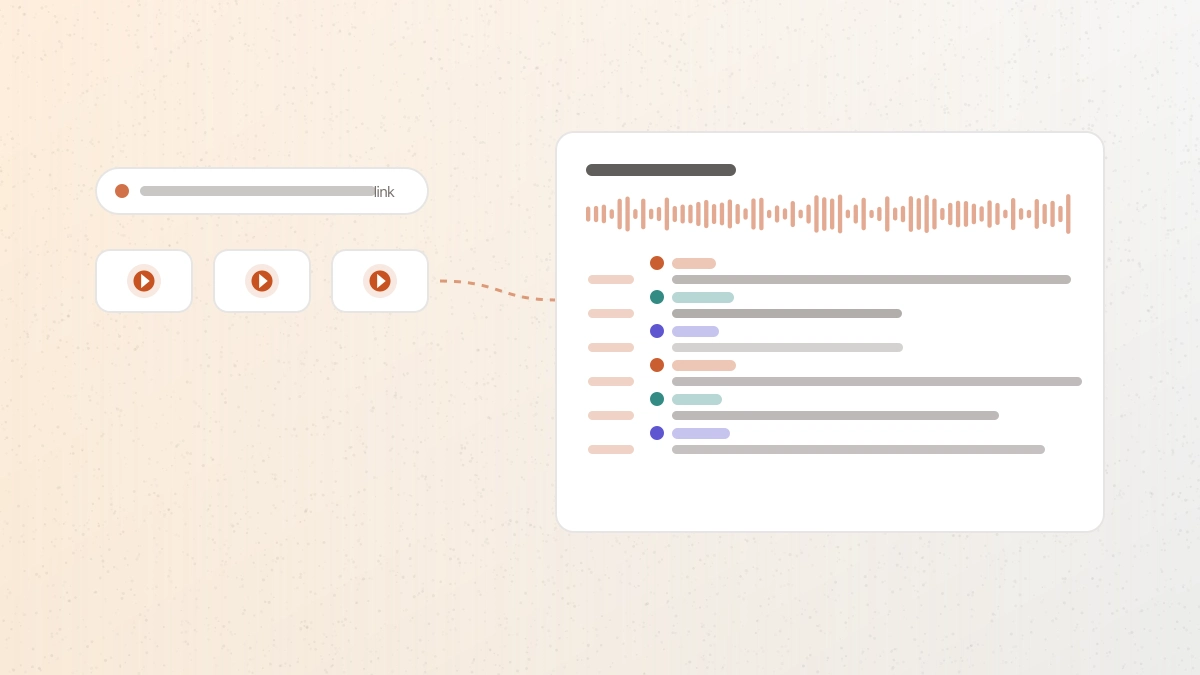
A video transcript generator turns a public video link into words you can read, search, and correct. Paste a supported link and the audio is transcribed with timestamps and speaker labels.
Workflow / 01
How to use this video transcript generator
One path for YouTube, TikTok, and Instagram links. Paste the URL, check the duration and cost before you commit, then keep the transcript or export the file your next task needs.
- 01
Paste a public link
Supported links come from YouTube, TikTok, and Instagram. Private and age-restricted videos are out of scope.
- 02
Check the estimate
The title, duration, and credit cost appear before anything is transcribed.
- 03
Review the transcript
Read the words beside the audio and correct anything the recording left ambiguous.
- 04
Export the artifact
Take plain text, timed subtitles, structured data, or a document.
 GPT Transcribe field guide
Principle / 02
Reading captions and transcribing audio are different jobs
Most free transcript tools read the caption track a platform already published. That is fast, and when a good caption track exists it is often enough. It also means the result inherits whatever that track contains: no caption track, no transcript.
This tool works from the audio instead. Speech recognition runs over the recording itself, so a video with no captions still produces a transcript, speakers can be separated, and the timings are precise enough to export straight to SRT or VTT.
Automatic output is a draft either way. Names, figures, and specialist terms deserve a check against the recording before the text becomes a quote, a caption file, or a record.
Research and review
Search a long talk for the passage you need instead of scrubbing the timeline.
Captions for reuse
Produce an SRT or VTT file for a video you are republishing or editing.
Notes from interviews
Separate who said what before turning a conversation into notes or quotes.
Decision / 03
GPT Transcribe vs Caption extractors vs Transcription platforms
Product pages checked 2026-08-17
| Compare | GPT Transcribe | Caption extractors | Transcription platforms |
|---|---|---|---|
| What it reads | The audio, via speech recognition | The caption track the platform published | The audio, via speech recognition |
| Video with no captions | Produces a transcript | Nothing to extract | Produces a transcript |
| Speaker separation | Available | Not part of a caption track | Commonly available |
| Typical entry point | Paste a link, five starter minutes | Paste a link, usually free | Account and subscription first |
| Best fit | One link, a usable transcript and subtitle files | Grabbing an existing caption track quickly | Ongoing team workflows and integrations |
Decision guide: If the video already has a good caption track and plain text is all you need, a free extractor is the shortest path. Choose GPT Transcribe when the captions are missing or unreliable, when speakers need separating, or when the timings have to be good enough to ship as subtitles. A full transcription platform makes sense once transcription is a recurring team process rather than a task.
Limits / 04
Know before you start
A trustworthy tool says where its result can fail, what stays on your device, and what deserves a human check.
Public videos only
Private, paid, age-restricted, and login-only videos are not processed. Download those yourself and upload the file instead.
Sign in and credits
Transcription needs an account. New accounts start with five minutes, and longer videos show their cost before submission.
Length and size ceilings
A recording can run up to 60 minutes and 1GB. Longer sources should be split before transcription.
Drafts need review
Noise, crosstalk, accents, and unusual names can be misheard, so verify wording that matters.
Answers / 05
Frequently asked questions
Which links are supported?
Public YouTube, TikTok, and Instagram video links. Paste the canonical URL from the address bar rather than a shortened or redirecting link.
Does it work when a video has no captions?
Yes. The transcript is produced from the audio, so it does not depend on a caption track existing.
Can I download subtitles?
Completed transcripts export as SRT and VTT for captions, and as TXT, JSON, PDF, or DOCX for everything else.
Is this an official product of the platforms it supports?
No. GPT Transcribe is an independent tool and is not affiliated with, or endorsed by, YouTube, TikTok, or Instagram.