
For a decade the question asked of audio models was "can it read this convincingly?" Seed Audio 1.0 asks a different one: can it produce the entire sound of a moment — two voices, the room they are standing in, the train arriving, the music underneath — in a single pass. If you already use GPT Transcribe for speech to text, captions and post-production review, this sits at the opposite end of the same pipeline: text going in where transcripts come out.
Anyone searching Seed Audio, text to speech, AI voice generator, Seed Audio 1.0 or ByteDance will find plenty of launch coverage. The part worth your attention is not that another model can speak. It is that ByteDance is attempting to fold narration, character dialogue, emotional delivery, accent control, music, ambience and foley into one generation system rather than four separate ones.
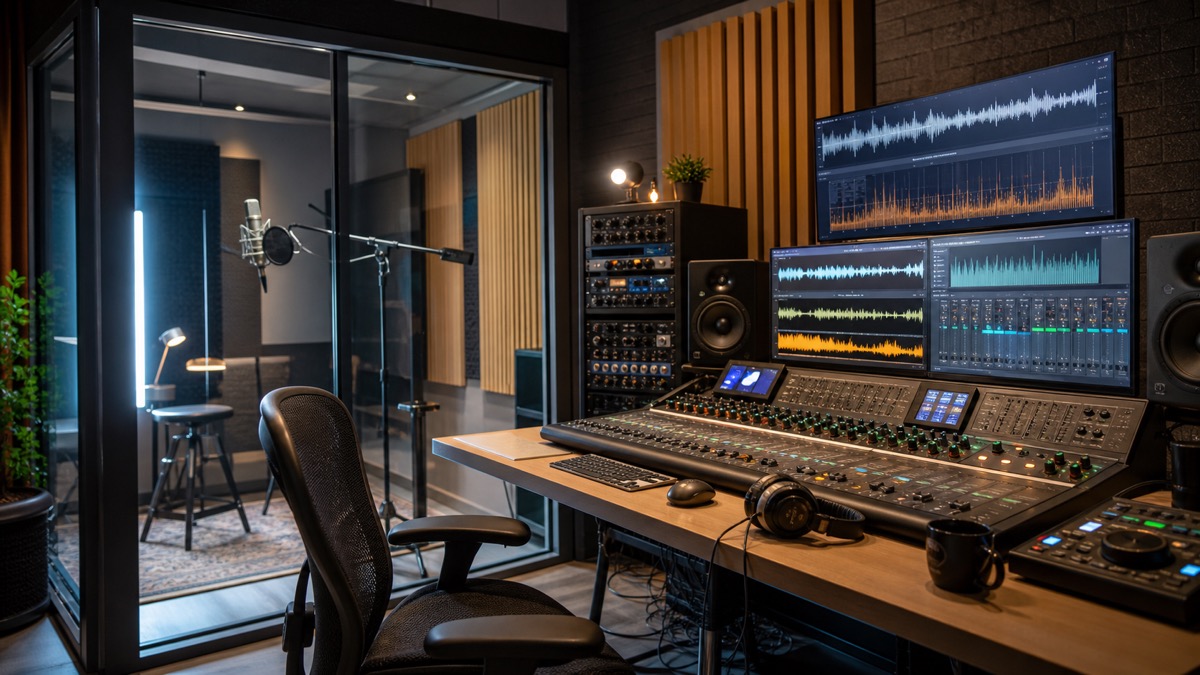
The announcement came on June 23, 2026, at Volcano Engine's FORCE conference, where Chinese technology coverage reported the Doubao audio generation model 1.0 — also referred to as Seed-Audio 1.0. What was described goes past conventional TTS: one generation coordinating character dialogue, emotion, dialect or accent, background music and foley. Further reports mention support for both text and reference-audio input, complete works with multiple characters, and invitation testing through Volcano Ark. All of that remains launch-stage material awaiting independent verification — but it marks the direction clearly enough.
What follows is what Seed Audio 1.0 appears to be, how it connects to ByteDance Seed Speech and Seed-TTS, why creators should care, and how to assess it without being carried along by a demo reel. It also sets the model against ordinary AI voice generator workflows, and notes where something like Seed Audio serves creators who need lifelike narration, voice cloning or multilingual TTS today rather than eventually.
Quick answer: what is Seed Audio 1.0?
Seed Audio 1.0 is ByteDance's newly announced audio generation model line, producing audio from text and reference inputs. Where conventional text-to-speech converts a script into narration one voice at a time, Seed Audio 1.0 is positioned as something wider: dialogue, emotional speech, accents, ambience, music and foley-like effects generated as coordinated parts of a single output.
The distinction is not academic. Most creator workflows still build audio in layers — a narrator records, a library or generator supplies music, an editor adds room tone and footsteps and doors and weather, a mixer balances the result. A model that can hold those parts in relation to each other in one pass is doing something closer to text to audio scene than text to speech.
If what you actually want is an AI voice generator, none of this makes TTS redundant. A YouTube narration, a course voiceover, a product demo, an app response — these need a clean single track, not a scene. What the announcement signals is that the top of the category has stopped being about speech alone.
Why ByteDance is credible in audio
This did not come from nowhere. ByteDance's Seed Speech team frames its work around multimodal speech technologies, speech and audio, music, natural language understanding and multimodal deep learning — which is roughly the ingredient list a scene model requires. Producing a pleasant synthetic voice is one problem; timing, semantic comprehension, speaker consistency, emotional control, acoustic texture and the alignment of multiple simultaneous sound events are several others.
The earlier Seed-TTS technical report is the useful background document. It presents a family of large-scale text-to-speech models aimed at natural, expressive speech, with zero-shot in-context learning, speaker similarity, emotion control and voice conversion. Architecturally it describes speech tokenization, an autoregressive language model, diffusion refinement and an acoustic vocoder, and it goes on to discuss post-training, reinforcement learning and the problems of responsible deployment.
Commercially, BytePlus already ships Seed Speech as a product family spanning text-to-speech, voice replication and speech-to-text — SeedTTS for human-like speech and replication, SeedASR for recognition. The public evaluation repository for Seed-TTS is instructive in a different way: ByteDance withheld model weights on safety grounds while publishing test set configuration and metric scripts, including word error rate and speaker similarity, so that objective comparison remained possible.
Read together, Seed Audio 1.0 looks less like a launch and more like the next step on a platform that has been assembling for years: expressive generation, voice continuation from short references, recognition, music research, simultaneous interpretation, and audio-video work through the Seedance family.
From text to speech to text to audio scene
Three levels make the shift easy to see.
Level one is plain text to speech. Script in, spoken audio out. This already carries an enormous amount of work — videos, ads, accessibility, voice agents, explainers, course narration. Tools like Seed Audio concentrate here, on realistic voices, consented instant cloning, multilingual output, and shipping without managing infrastructure.
Level two is expressive voice generation. The model does more than read: pace, emphasis, emotion, language, accent and speaker identity all become controllable. A line can be warm, urgent, nervous, playful, authoritative, exhausted. For anything long-form, the harder requirement arrives — that voice staying itself across chapters, episodes or a year of product updates.
Level three is full-scene generation. Here the script is understood as a situation rather than a string. A radio drama needs two speakers, distance cues, room tone, rain outside, a door, a phone buzzing, a low musical bed. A game prototype needs NPC lines, footsteps, weapon handling, ambience, interface sounds. Seed Audio 1.0 is being described at this level.
The promise is time: describe the moment and receive a coordinated draft, rather than generating voice, music and effects separately and aligning them by hand. The risk is control. A single mixed file is fast, but professional work needs stems, precise timing, editability, loudness targets, and sign-off on each layer independently. Whether Seed Audio 1.0 matters will come down to whether it offers both.
What Seed Audio 1.0 claims to handle
Launch coverage points at three capabilities.
Multiple layers in one pass. Character dialogue, emotional tone, dialect or accent, background music and foley, generated together. This is the headline claim, and the one that turns a prompt into something resembling a finished scene instead of a bare voiceover.
Text generation anchored by reference audio. This is what long-form work lives or dies on. Audiobooks, serialised podcasts, courses and audio drama cannot have a character's voice wandering between episodes. A reference clip that holds a voice or style steady across new generations removes a great deal of retake and repair.
Zero-shot multimodal reference. Some reports describe users specifying sound characteristics in text and the model inferring matching audio features without a sample. For small teams that would mean fictional voices and sound directions without recording references first. It is also the claim hardest to assess, because language about sound is inescapably vague — "a middle-aged narrator, slightly rough, southern accent" describes several thousand different voices.
Cautious interest is the right posture. Demos are chosen; production is repetitive and unsentimental. A model that impresses once still has to survive revisions, unusual names, multiple languages, quiet speech, overlapping dialogue, careless prompts, long-form consistency and licensing constraints.
What creators can actually use it for
Pre-production is the clearest fit. A director, podcaster, game designer or course creator can hear a scene before anyone is hired, any library is searched, or any studio is booked. The prompt becomes an audio storyboard. Even where the final version is entirely human, the draft moves decisions earlier.
Short-form output is the second. Social videos, product ads, trailers, mobile prototypes, explainers, internal demos — all need audio faster than a multi-role process delivers it. A one-pass generator gets to a usable direction quickly, and the team decides which parts survive.
Localization is where it may matter most. AI narration already helps creators publish in several languages. If a scene model can coordinate translated dialogue with appropriate voice direction, background tone and timing, localization stops being voice-track replacement and becomes scene adaptation — relevant to anyone publishing across TikTok, YouTube, podcasts, games and learning platforms.
Audio drama and fiction is painful to produce at scale: casting, direction, recording, editing, continuity. A model holding characters distinct and emotionally coherent lets writers prototype scenes, test pacing, and make low-budget episodes viable. The best productions will still want actors and sound designers; the drafting stage changes completely.
Accessibility and product voice is the quieter case. Apps, voice agents, IVR, learning tools and assistive products need consistent speech at scale, where stable low-latency TTS beats scene generation every time. The same research still helps — expressiveness, accent handling, context-aware delivery all improve.
Seed Audio versus regular AI voice generators
A conventional AI voice generator optimises one speech track, and that focus is a feature. A voiceover should be predictable, editable, easy to sit under video, correct on names, consistent in level, and quick to regenerate line by line. For business content the best result is one nobody notices — attention stays on the message rather than the synthesis.
Seed Audio 1.0 argues for something else: composition rather than narration. That is exciting for creative media and it moves the goalposts. Judge a voice generator on naturalness, pronunciation, speaker similarity, latency, language coverage and cost. Judge a scene generator on all of that plus layer balance, event timing, musical appropriateness, ambience realism, emotional continuity — and whether the mix can still be edited afterwards.
So the question is not which is better. It is which job is in front of you. Clean product narration: a focused TTS workflow, every time. A rough cinematic scene: the one-pass idea earns its place. Final broadcast audio: AI for drafts, humans on the master.
The technical idea in plain English
Speech generation is not raw waveform prediction. A capable system typically has three parts: a representation of speech as tokens or latent features, a model predicting the next sequence from text and audio conditions, and a decoder or vocoder producing listenable audio. Seed-TTS described exactly this shape publicly — speech tokens, a token language model, diffusion refinement, an acoustic vocoder — which usefully separates linguistic planning, speaker and style conditioning, acoustic detail, and waveform production.
Seed Audio 1.0 has a harder problem. Non-speech sound behaves nothing like speech. Dialogue has syllables, timing, emotion and identity. Music has harmony, rhythm, arrangement, structure. Foley is physical timing and texture. Ambience is continuity and space. Something has to decide what happens when, how loudly, and how each layer relates to what the prompt asked for.
Which is why "one prompt to finished audio" is harder than it sounds. Take: "Two friends whisper in a subway station while a train arrives and tense music rises." Whispered speech has to stay intelligible. Train noise must not bury it. Music has to build tension without occupying the same space as the voices. The train needs to arrive at a plausible moment. The reverb has to belong to a subway station. Those are production judgments, not synthesis parameters.
Workflow: how a creator team should evaluate Seed Audio
Start small and realistic. Not a full episode, not a brand campaign. Twenty to forty seconds, two characters, one clear emotion, one ambience, one foley moment: "A calm narrator introduces a hiking trail at dawn. Soft wind, distant birds, one backpack zipper. Warm music underneath, not dramatic."
Then judge by role, not by impression. Is the speech intelligible? Does the voice match the character it is supposed to be? Does the background support or compete? Are effects timed like real events? Does the music leave room for dialogue? Any no means revise the prompt and go again.
Then test editability, which is where demos go quiet. Can one line be regenerated alone? Can emotion change without the voice changing? Do you get stems or only a mix? Does a character voice survive across separate prompts? Can pronunciation be locked? These answers matter more than the first impressive output.
Finally, put the result through review tools. Run the generated dialogue through speech to text and compare it against the script. With GPT Transcribe you can transcribe generated dialogue, diff it against what you wrote, build captions, and identify lines needing a rewrite. A phrase the transcript keeps missing is a phrase your audience will miss.
Prompting tips for better AI audio
Be concrete. "Make a cinematic scene" gives a model nothing to aim at. Better: "A 30 second podcast cold open. Speaker one is a curious host, calm. Speaker two is an excited guest. Quiet studio room tone, a subtle music bed for the first eight seconds, no effects once dialogue starts."
Separate the layers explicitly — voice, music, ambience, foley. Where structured prompts are supported, label the sections. Where only natural language is accepted, write several short sentences rather than one dense paragraph.
Say what must not happen. Music stays under the speech. The voice is fictional, not based on any real person. No reverb, no bed, no ambience if you want a dry track. Negative constraints do more work than adjectives.
Use reference audio responsibly. References help consistency, but only with material you have the right to process. A consented brand narrator sample is a different thing entirely from a scraped celebrity clip. For commercial work keep the prompt text, reference sources, export dates and settings on file.
Risks, rights, and safety
Voice generation carries weight because voice is personal. A system that reproduces tone, emotion, accent and manner can be misused, and the Seed-TTS repository's note that source and weights were withheld for AI safety reasons is a reminder that this is an identity problem as much as a creative tool.
The practical rules are short. Do not clone a real person without clear permission. Do not imply someone said something they did not. Do not use generated voices for fraud, impersonation or political deception. Label AI audio where context calls for it. Keep consent records for custom voices. Read the platform's policy before publishing rather than after.
Music and effects add their own exposure. Generating music "in the style of" a living artist invites brand, copyright and publicity problems. Describe mood, instrumentation, tempo and function instead of naming anyone protected. For commercial work, check the provider's output rights and enterprise terms specifically.
And there is a quieter quality risk: AI audio can sound polished while being wrong. Names mispronounced, foreign phrases mangled, accents drifting into caricature, delivery contradicting the script, a mix that works on headphones and falls apart on a phone speaker. Human review is not optional.
Where Seed Audio fits in the creator stack
The loop is: write, generate, transcribe, edit, publish, analyse. Text starts it. Generation produces a draft. Speech to text checks clarity and yields captions. Human review fixes meaning, timing and brand fit. Publishing turns it into a video, an episode, a lesson, an ad, a product interaction.
That loop matters more than any individual model. A beautiful voice does not make a workflow. Can prompts be versioned? Are approved voices organised? Can only the changed lines be regenerated? Do subtitles come out the other end? Is consent auditable? Can you tell whether listeners understood?
Which is why focused tools keep their place. A hosted voice generator for production narration, a scene model for concepting, GPT Transcribe for transcripts and captions, a DAW for the mix, and a review process for approvals. The workflows that win are the controllable, reviewable, repeatable ones.
What to watch next
Availability. Reports point to invitation testing through Volcano Ark, with possible connections to products like CapCut and Dreamina. Access, pricing, latency, language coverage and export controls decide when any of this becomes usable.
Output structure. A mixed two-minute file demos well. Separate voice, music, ambience and foley stems are what production actually needs — along with partial regeneration, locked character voices, pronunciation dictionaries, loudness targets and version history.
Evaluation. Seed-TTS was framed publicly around word error rate and speaker similarity. Scene generation needs more: dialogue intelligibility, event timing, musical fit, ambience continuity, spatial realism, safety filtering, and human preference measured over repeated tasks rather than one showcase.
The competitive response. ElevenLabs, Suno, Adobe, Google, OpenAI, Tencent, Alibaba and Kuaishou all have reasons to head toward unified audio workflows. ByteDance's edge is owning creator products, distribution surfaces, cloud infrastructure and a deep multimodal research pipeline at once. Whether that becomes a dependable workflow outside staged demos is the open question.
FAQ
Is Seed Audio 1.0 the same as text to speech?
No. TTS turns written text into spoken audio. Seed Audio 1.0 is positioned more broadly — coordinating dialogue, emotion, accents, music, ambience and foley. TTS-like capability is part of it; full-scene generation is the larger claim.
Who developed Seed Audio 1.0?
It comes out of ByteDance's Doubao and Seed ecosystem. The Seed Speech team has previously published Seed-TTS, SeedASR, speech interpretation, music generation and related multimodal speech work.
Can Seed Audio 1.0 replace voice actors and sound designers?
It can cut the cost of drafts, prototypes, localization tests and some production. It is not a general substitute for performers, editors or sound designers — commercial work still needs direction, consent, rights review, quality control, and frequently a human performance.
What is the difference between Seed Audio and an AI voice generator?
A voice generator produces speech tracks from text or a voice reference. Seed Audio 1.0 targets speech plus everything around it. For straight narration a focused generator is faster and simpler; for a scene with dialogue, music, ambience and foley, the wider approach is the relevant one.
How should creators test Seed Audio-style tools?
Short scenes, outputs compared against the script, several prompt variants, a check on whether voices stay consistent, and confirmation that the result remains editable. Transcribe the dialogue with something like GPT Transcribe to find out whether the important lines actually land.
Is it safe to clone voices with Seed Audio or other tools?
Only with explicit permission and provider terms that cover your use. No celebrities, employees, customers, friends or creators without consent — and for commercial work, keep the records.
Final takeaway
Seed Audio 1.0 marks a shift in generative audio: from robotic readers, to expressive AI voice generators, and now toward complete audio scenes. ByteDance has genuine speech research behind the move, and the reported capabilities point at faster production for podcasts, audiobooks, short video, games, ads and interactive products.
Neither hype nor dismissal is warranted. Read it as a signal of where the workflow is going — prompts and reference audio becoming the production interface for voice, music, ambience and foley together. Keep focused TTS for clean narration. Reach for scene generation when you need a creative draft fast. Keep transcription and human review in the loop so what ships is intelligible, defensible and publishable.
The concrete next step has not changed: write a short scene, generate a draft, transcribe it, rewrite whatever came back unclear, and keep only what you are licensed to use. That loop is the difference between production and a demo.