GPT Transcribe is OpenAI’s current high-accuracy speech-to-text model for recorded files, streamed file results, and committed audio turns. Give it spoken audio and it returns text in the original language, with optional context about the subject, expected keywords, and likely languages. That sounds simple. The engineering underneath is not.
A production transcription system must separate speech from noise, distinguish similar sounds, use sentence-level context without inventing words, handle accents and code-switching, and deliver results quickly enough for a useful interface. It also has to know when a different model is the right tool. Speaker labels, word-level timestamps, native subtitle files, translation, and continuous live captions do not all come from the same endpoint-model combination.
This guide explains how the GPT Transcribe model family fits together, what the OpenAI /v1/audio/transcriptions endpoint actually does, why context can improve accuracy, and how to design a reliable workflow for meetings, interviews, podcasts, support calls, lectures, and voice applications.
The short answer: what is GPT Transcribe?
gpt-transcribe is an OpenAI automatic speech recognition model. Its inputs are audio plus optional text context; its output is text. OpenAI currently recommends it as the starting model for completed recordings and bounded audio requests. It can also process an already-complete file while streaming text deltas back to the application, or transcribe a manually committed audio turn over a Realtime WebSocket connection.
The model is designed to preserve the language spoken in the recording. If the audio is French, the transcript should be French rather than an English translation. It can return one or more detected language codes when that prediction is reliable.
Three context fields are especially important:
promptdescribes the recording, its topic, or its setting.keywordslists literal terms that may be spoken, such as product names, medications, acronyms, and account identifiers.languageslists expected input languages, including multilingual and code-switching situations.
These fields do not replace the audio. A keyword is a hint, not an instruction to insert the term. The model should output it only when the sound supports it.
There is also a naming issue worth resolving immediately. The OpenAI model ID gpt-transcribe and the independent website called GPT Transcribe are not the same thing. The site is not affiliated with OpenAI and currently uses Whisper plus a diarization workflow because that combination can supply subtitles, speaker labels, and timestamps. If you want a browser workflow instead of building an API integration, the independent GPT Transcribe online speech-to-text workspace accepts audio or video and adds review and export tools around the recognition layer.
GPT Transcribe is a family of workflows, not one universal mode
The phrase “GPT transcribe audio” often collapses several technically different jobs into one search query. OpenAI now separates those jobs by whether audio is complete or still arriving, and by which metadata the application needs.
| Need | Recommended model or path | Important limitation |
| --- | --- | --- |
| Transcribe a completed recording | gpt-transcribe through /v1/audio/transcriptions | General JSON text output; not the native choice for SRT/VTT |
| Stream text while a completed file is processed | gpt-transcribe with stream=true | The file already exists; this is not live microphone audio |
| Continuously transcribe a microphone or call | gpt-live-transcribe in a Realtime transcription session | No word timestamps, speaker labels, or confidence scores |
| Transcribe a committed audio turn over WebSocket | gpt-transcribe in a Realtime session | Transcription starts around committed turns rather than continuous live display |
| Identify who spoke when | gpt-4o-transcribe-diarize | File transcription only; use diarized_json |
| Generate native SRT/VTT or word timestamps | whisper-1 | Older model, retained for these specialized output capabilities |
| Translate a recording into English | whisper-1 through /v1/audio/translations | English is the target language |
Existing applications may still use gpt-4o-transcribe or gpt-4o-mini-transcribe. Those models were the important 2025 step beyond the original Whisper API. OpenAI’s current documentation, however, says new file-transcription integrations should start with gpt-transcribe, while continuous live transcription should start with gpt-live-transcribe.
This distinction prevents a common architectural mistake: “streaming output” does not necessarily mean “live audio input.” A completed MP3 can be uploaded once while its transcript arrives progressively. A live phone call is different because audio continues to arrive, turn boundaries may not be known, and partial text must be reconciled as the model gains more context.
How speech becomes text
OpenAI has not published a complete layer-by-layer architecture for the current gpt-transcribe release, so any claim that it uses a particular hidden encoder, tokenizer, or decoder configuration would be speculation. What can be explained reliably is the functional pipeline and the public technical lineage.
1. Audio is converted into model-readable features
A waveform is a sequence of pressure measurements, not a sequence of words. A speech recognition system first turns that signal into a compact representation that exposes patterns over time and frequency. Those patterns contain evidence about phonemes, syllables, pauses, emphasis, and speaker changes.
This stage must remain useful across different microphones, codecs, rooms, accents, and speaking speeds. Clean studio speech is comparatively easy. A speakerphone in a reverberant conference room, with air conditioning and two people interrupting each other, is not.
2. The model maps acoustic evidence to linguistic possibilities
Speech is ambiguous when considered in tiny slices. “Their,” “there,” and “they’re” sound alike. A company name may sound like a common word. Numbers, email addresses, and alphanumeric order IDs are especially fragile.
Modern speech-to-text systems use wider context to select the sequence that best fits both the sound and the surrounding language. This is why a recording-level prompt and a short keyword list can help. If the model knows it is hearing a Kubernetes incident review, it has a better basis for resolving technical terms than if it is given the same sound with no context.
Context must remain subordinate to evidence. Too little context leaves avoidable ambiguity. Aggressive or irrelevant hints increase the risk that the model chooses a plausible term that was never spoken.
3. Training improves robustness beyond clean dictation
OpenAI’s 2025 launch report for gpt-4o-transcribe and gpt-4o-mini-transcribe described three relevant ingredients: specialized audio-centric pretraining or midtraining, diverse high-quality audio data, and reinforcement-learning-heavy post-training. OpenAI reported lower word error rates than Whisper on established evaluations, including multilingual FLEURS tests.
That does not prove that one model wins on every recording. Benchmarks average over selected datasets. A legal deposition, medical handoff, noisy retail call, accented technical interview, and children’s classroom recording have different error profiles. The useful conclusion is narrower: audio-specific training and post-training can make recognition more robust, but production quality still has to be measured on production-like audio.
4. The API returns text and workflow-specific metadata
For a normal file request, gpt-transcribe returns transcript text and detected languages. With stream=true, it emits incremental transcript.text.delta events before a final transcript.text.done event.
Other models return different structures. The diarization model can return segments with a speaker label, start time, and end time. Whisper can return word or segment timestamps and native subtitle formats. Treat the response schema as part of model selection, not as a cosmetic formatting choice made after recognition.
Why GPT Transcribe can be more accurate than a context-free recognizer
“Accurate” does not mean that the model heard every word with certainty. It means the system is better at balancing several signals that reduce common errors.
Broader acoustic coverage
Training across diverse audio conditions gives a model more examples of real-world variation: regional accents, room echo, compressed telephony, background noise, fast speech, hesitation, and uneven volume. This matters because the same sentence can look very different as a waveform when the microphone or environment changes.
Language recognition and code-switching
gpt-transcribe accepts multiple language hints instead of only one language value. That is a practical improvement for meetings in which participants move between English and Spanish, or for technical conversations that contain borrowed terms from another language. The response can also report detected languages, allowing an application to route later translation or review steps.
Domain context without a custom acoustic model
Traditional enterprise ASR often required a custom vocabulary or domain-specific adaptation. GPT Transcribe exposes a simpler interface: provide a short description and expected literal terms. A support platform might supply “A billing call about the Premium Plus plan” as the prompt, then add AC-42, Premium Plus, and a product name as keywords.
The important discipline is evaluation. Compare a model-only baseline with the same model plus context. Then measure whether exact matches improve and whether hinted terms appear when they were not spoken.
More useful sentence-level decisions
A transcript is not a bag of individually recognized words. Punctuation, capitalization, sentence boundaries, and the interpretation of homophones all depend on context. Better language modeling can turn a plausible but confusing token stream into readable prose. It can also make an error sound more convincing, which is why names, numbers, dates, and quotations still need verification against the audio.
Accuracy is more than word error rate
Word error rate, usually abbreviated WER, is the standard headline metric:
WER = (substitutions + deletions + insertions) / words in the reference transcript
Lower is better. If a 100-word reference contains three substitutions, two missing words, and one inserted word, the WER is 6 percent.
WER is useful because it gives teams a repeatable aggregate measure. It is incomplete because not all words carry equal business risk. Replacing “a” with “the” may be harmless. Changing “15 milligrams” to “50 milligrams,” omitting “not,” or corrupting a customer’s account number can invalidate the transcript.
A serious transcription evaluation should therefore track at least five categories. For a recording-side checklist before benchmarking, see these practical speech-to-text accuracy tips.
- Overall WER or character error rate: useful for broad regression testing.
- Critical-term exact match: names, medications, SKUs, legal citations, numbers, dates, currencies, and email addresses.
- Completeness: empty sections, truncated endings, and missed short utterances.
- Language behavior: language detection, code-switching, and script selection.
- Operational quality: time to first text, finalization latency, event ordering, retries, and the stability of partial transcripts.
Use human review for consequential output. Speech recognition can reduce typing; it cannot transfer accountability away from the person or system publishing the result.
Using OpenAI /v1/audio/transcriptions
For completed files, the API surface remains deliberately small. OpenAI’s file transcription guide currently accepts MP3, MP4, MPEG, MPGA, M4A, WAV, and WebM inputs up to 25 MB.
A minimal request looks like this:
curl --request POST \
  --url https://api.openai.com/v1/audio/transcriptions \
  --header "Authorization: Bearer $OPENAI_API_KEY" \
  --header "Content-Type: multipart/form-data" \
  --form file=@/path/to/recording.mp3 \
  --form model=gpt-transcribe
For a multilingual support call with specialist vocabulary, add only relevant context:
curl https://api.openai.com/v1/audio/transcriptions \
  -H "Authorization: Bearer $OPENAI_API_KEY" \
  -H "Content-Type: multipart/form-data" \
  -F model="gpt-transcribe" \
  -F file="@/path/to/support-call.mp3" \
  -F "prompt=A customer support call about billing and a plan upgrade." \
  -F "keywords[]=AC-42" \
  -F "keywords[]=Premium Plus" \
  -F "languages[]=en" \
  -F "languages[]=fr"
The model can return a response such as:
{
  "text": "Bonjour, can you check account AC-42 for me?",
  "languages": [
    { "code": "fr" },
    { "code": "en" }
  ]
}
Do not send both the legacy singular language field and the newer languages array. Validate keyword input as well: keywords are single-line literals and should not be treated as a hidden prompt-injection channel.
What to do with files larger than 25 MB
Compress the audio or split it into smaller pieces without cutting through sentences. Chunk boundaries remove context, so overlap or natural pause detection is preferable to arbitrary ten-minute cuts.
For sequential chunks, carry forward a compact amount of relevant context rather than pasting the entire previous transcript into every request. Then reconcile duplicate material at overlaps and preserve a mapping from each output segment to its source time range.
File streaming, committed turns, and true realtime transcription
These three modes sound similar but behave differently.
Stream a completed file
Set stream=true on a normal /v1/audio/transcriptions request. The server already has the complete recording and can emit partial transcript events while processing it. This improves perceived responsiveness for long files, but it does not accept an endless microphone stream.
Transcribe committed turns
gpt-transcribe can also run in a Realtime transcription session over WebSocket. The client appends audio to a buffer and explicitly commits a turn. The model may stream deltas for that committed unit and return detected-language metadata with the completed result. Earlier transcribed turns can become context for later ones.
This is useful when accuracy after a turn matters more than showing text continuously as each phoneme arrives.
Continuously transcribe live audio
Use gpt-live-transcribe when audio is arriving from a microphone, call, or media stream and text needs to appear with low latency. The application can use WebSocket for a server-side audio pipeline or WebRTC for browser audio.
The model exposes delay levels ranging from minimal through xhigh. Lower delay can produce text sooner; higher delay gives the model more acoustic context and may improve final accuracy. There is no universal number of milliseconds for each level, so the correct setting comes from testing actual microphones, networks, accents, and call audio.
Partial text is provisional. A robust UI must allow a later delta or completed event to revise earlier words without making the transcript look as if it is flickering randomly.
Speaker labels, timestamps, subtitles, and translation
No single OpenAI transcription model currently supplies every downstream artifact.
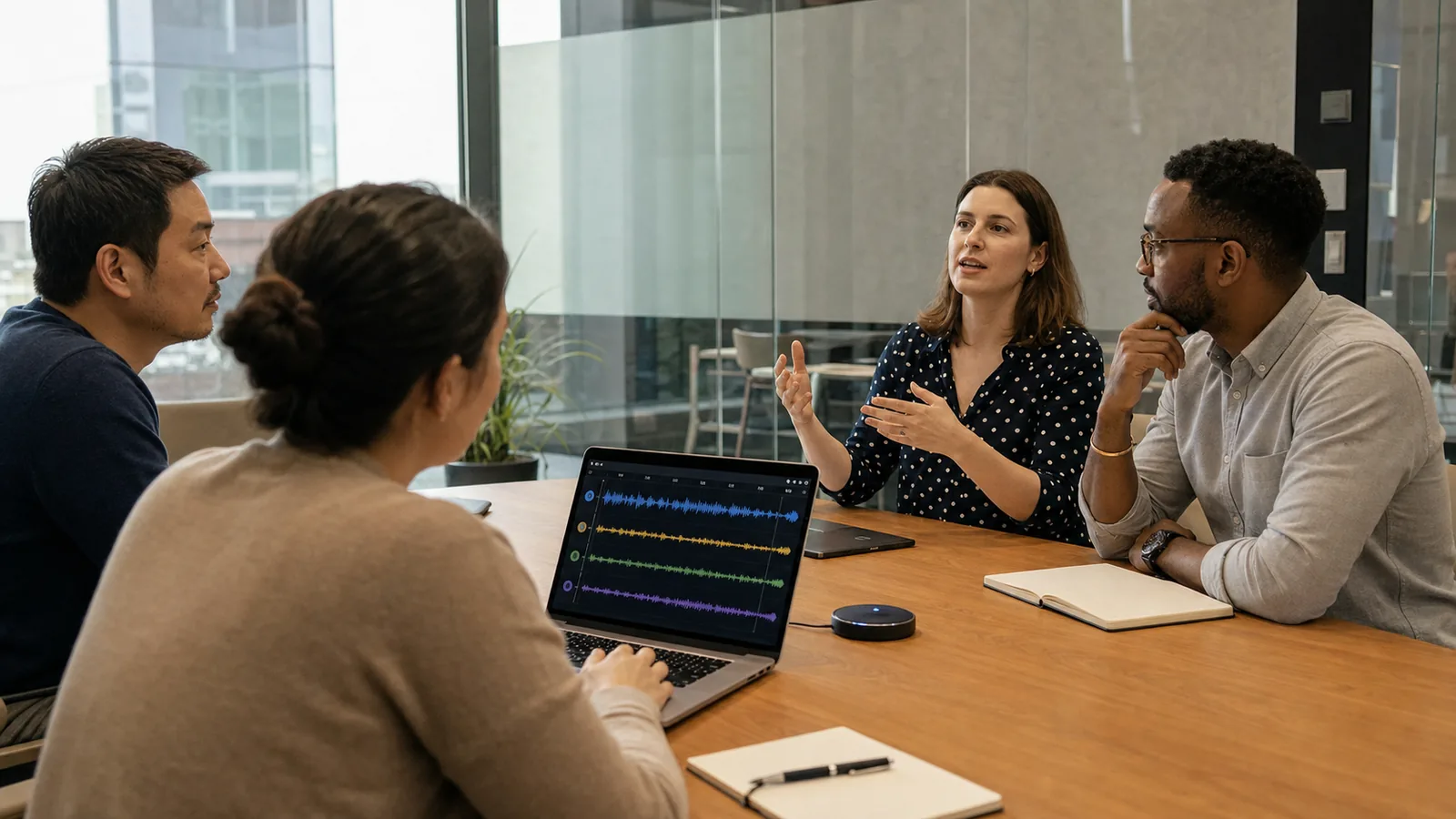
Speaker diarization
Use gpt-4o-transcribe-diarize with response_format="diarized_json" when you need to know who spoke when. For recordings longer than 30 seconds, OpenAI requires an automatic or voice-activity-based chunking strategy.
The API can also accept up to four known-speaker reference clips, each two to ten seconds long, to associate segments with expected speakers. A speaker assignment is made when a segment is finalized; partial text deltas do not contain partial speaker decisions.
Word timestamps and subtitle files
Use whisper-1 when the API must return word or segment timestamps, SRT, or VTT directly. This is an important example of “newer” not meaning “replaces every feature.” GPT Transcribe is the recommended general recognizer, but Whisper retains output capabilities required by captioning and video-editing workflows. The downstream formatting decisions are covered in more detail in this AI captions and subtitles guide.
Translation
Transcription preserves the spoken language. Translation is a different task. To turn a completed non-English recording into English, OpenAI currently directs developers to /v1/audio/translations with whisper-1.
For non-developers, assembling these paths can be disproportionate to the job. A journalist may simply need an interview with speakers separated; a video editor may need SRT; a researcher may need a searchable PDF and timestamped JSON. In those cases, you can transcribe audio online with speaker labels, timestamps, and export formats through a browser workflow instead of maintaining separate API and conversion code. The site is an independent product and should not be represented as OpenAI’s official interface.
A production workflow that holds up
A reliable transcription application is a pipeline, not a single model call. The same principle applies outside software teams: meetings, interviews, and podcasts need different review and publishing paths even when the recognition model is shared. Our workflow guide for meetings, interviews, and podcasts shows those operational differences.
1. Capture and validate
Check the container, codec, duration, channel count, sample rate, and file size before uploading. Reject empty or corrupted media with an actionable message. Preserve the original recording when the transcript may need to be audited.
2. Select the model from the required output
Start with the deliverable:
- Plain transcript from a file:
gpt-transcribe. - Continuous live text:
gpt-live-transcribe. - Speaker-attributed meeting: diarization model.
- Native captions or word timings: Whisper.
- English translation: translations endpoint with Whisper.
Choosing a model only by perceived intelligence and then discovering that its schema lacks required timestamps is an avoidable design failure.
3. Add narrow, auditable context
Keep prompts factual and recording-specific. Generate keyword lists from a trusted glossary, not from arbitrary user instructions. Store which hints were sent so reviewers can diagnose whether an unusual term came from the audio or from over-biasing.
4. Separate raw and edited transcripts
The raw model output is evidence of what the recognizer returned. The edited transcript is a human-facing document. Keep them separate, record corrections, and retain timestamps or source chunk references wherever the use case requires traceability.
5. Evaluate the handoff, not just recognition
An accurate JSON response can still produce a bad product if speaker labels are lost during export, subtitle lines are too long, partial realtime text is ordered incorrectly, or a retry duplicates a section. Test every stage through the final file or interface the user receives.
Common failure modes and how to reduce them
Background noise and reverberation
Move the microphone closer before reaching for software filters. Avoid re-recording a call through loudspeakers. Test a short sample in the actual room, because air conditioning and hard-wall echo are easier to hear on playback than during the meeting.
Overlapping speakers
Diarization answers “who spoke when”; it does not magically unmix two voices occupying the same frequencies at the same time. Separate microphone channels are better than a distant room microphone when attribution matters.
Proper nouns and identifiers
Add short keyword hints, ask speakers to spell unusual names on the recording, and run exact-match checks after transcription. Read numbers digit by digit when a mistake would be costly.
Hallucinated or over-biased words
Silence, music, and unclear speech can tempt a language model toward plausible text. Irrelevant keyword lists can make that worse. Include negative and silent examples in evaluation, and verify every critical quotation against the source.
Long recordings
Compression and chunking solve transport limits, not semantic continuity. Split at pauses, retain overlap, and test whether context is preserved across boundaries. Watch for duplicated sentences at the joins.
Realtime event ordering
Completion events from different turns are not guaranteed to arrive in conversational order. Reconcile them with item_id, not with arrival time alone.
How to choose between an API and an online tool
Build directly on the API when transcription is part of a larger product, when you need control over storage and orchestration, or when your team can maintain authentication, media handling, retries, rate limits, observability, and exports.
Use an online workspace when the job is human-led: upload a meeting, review the text, rename speakers, correct terms, and download captions or a document. The value then lies less in owning an endpoint call and more in reducing the steps between a recording and a usable artifact.
Whichever route you choose, verify privacy requirements before uploading confidential audio. Obtain the necessary consent, define retention rules, restrict access to recordings and transcripts, and avoid treating an automatically generated transcript as an unquestionable record.
Frequently asked questions
Can GPT transcribe audio files?
Yes. OpenAI’s gpt-transcribe model accepts completed audio through /v1/audio/transcriptions. It can return a final result or stream text events while the completed file is processed.
Is GPT Transcribe the same as ChatGPT?
No. gpt-transcribe is a specialized API model for converting speech to text. ChatGPT is a user-facing assistant that may use several models and tools. An independent website may also use “GPT Transcribe” as a product name, so check the model and provider rather than relying on the phrase alone.
Is GPT Transcribe better than Whisper?
OpenAI reported lower WER for its GPT-4o transcription generation than the original Whisper models across its published evaluations. For a new general file-transcription integration, OpenAI now recommends gpt-transcribe. Whisper remains the documented choice for native SRT/VTT, word timestamps, and translation into English. Test both against your own audio and required output.
Does /v1/audio/transcriptions support realtime audio?
The endpoint can stream the transcription of a completed file, but that is different from continuously ingesting a live microphone or call. Use a Realtime transcription session and gpt-live-transcribe for continuously arriving audio.
Can GPT Transcribe identify speakers?
The general gpt-transcribe model is not the documented speaker-labeling path. Use gpt-4o-transcribe-diarize with diarized_json for speaker-attributed file transcripts. Continuous live transcription does not currently return speaker labels.
Can it generate SRT or VTT subtitles?
OpenAI currently directs native SRT/VTT use cases to whisper-1. An application can also align and format another transcript downstream, but that becomes an additional system whose accuracy and timing must be tested.
Final perspective
GPT Transcribe is best understood as a context-aware recognition model inside a larger speech-to-text system. Its biggest practical advance is not that developers can upload an MP3—that was already possible. It is that a current transcription workflow can combine stronger recognition with explicit topic context, literal keyword hints, multiple expected languages, detected-language output, streamed file results, and a separate low-latency live path.
The tradeoff is specialization. The most accurate general transcript, the fastest live captions, the cleanest speaker-attributed meeting, and the most convenient subtitle export may require different models or downstream tools. Start from the artifact your user needs, select the compatible path, and evaluate with representative audio rather than a perfect demo clip.
For implementation details, consult OpenAI’s current transcription overview, file transcription guide, Realtime transcription guide, and Whisper-to-GPT Transcribe migration guide. The historical architecture and training context is documented in OpenAI’s next-generation audio model announcement and the original Whisper paper.